In his 2005 published book, State of Exception, Italian philosopher Giorgio Agamben (who, I feel moved to say, was an idiot on the topic of Covid 19, declaring the virus to be nonexistent) wrote:
“The state of exception is the political point at which the juridical stops, and a sovereign unaccountability begins; it is where the dam of individual liberties breaks and a society is flooded with the sovereign power of the state.”
The (apparently, merely delayed by four years) re-election of Donald Trump is certain to usher in a sustained period of domestic emergency in the United States, a state of exception when even the pretense of bourgeois democracy is dropped and state power is exercised with few restraints.
What does this mean for information technology usage by activist groups or really, anyone?
…
In Feb of 2024, I published the essay, Information Technology for Activists – What is To Be Done? In this essay, I provided an overview of the current information technology landscape, with the needs and requirements of activist groups in mind. When conditions change, our understanding should keep pace. As we enter the state of exception, the information technology practices of groups who can expect harassment, or worse, from the US state should be radically updated for a more aggressively defensive posture.
Abandon Cloud
The computer and software technology industry is the command and control apparatus of corporate and state entities. As such, its products and services should be considered enemy territory. Under the capitalist system, we are compelled to operate on this territory to live. This harsh necessity should not be confused with acceptance and is certainly not a reason to celebrate, like dupes, the system that is killing the world.
The use of operating systems and platforms from the tech industry’s primary powers – Microsoft, Amazon, Google, Meta, X/Twitter, Apple, Oracle – and lesser known entities, creates a threat vector through which identities, data and activities can be tracked and recorded. Moving off these platforms will be very difficult but is essential. What are the alternatives?
There are three main areas of concern:
Services and platforms such as social media, cloud and related services
Personal computers (for example, laptops)
Phones
In this essay, cloud and computer usage are the focus.
By ‘cloud’, I’m referring to the platforms owned by Microsoft (Azure), Amazon (Amazon Web Services or, AWS) and Google (Google Cloud Platform or GCP) and services such as Microsoft 365 and Google’s G Suite. These services are not secure for the purposes of activist groups and individuals who can expect heightened surveillance and harassment from the state. There are technical reasons (Azure, for example, is known for various vulnerabilities) but these are of a distant, secondary concern to the fact that, regardless of each platform’s infrastructural qualities or deficits, the corporations owning them are elements of the state apparatus.
Your data and communications are not secure. If you are using these platforms, your top priority should be abandoning usage and moving your computational resources to what are called on-premises facilities and use the Linux operating system, rather than MacOS or Microsoft Windows.
On Computers
In brief, operating systems are a specialized type of software that makes computers useful. When you open Microsoft Excel on your computer, it’s the Microsoft Windows operating system that enables the Excel program to utilize computer hardware, such as memory and storage. You can learn more about operating systems by reading this Wikipedia article. This relationship – between software and computing machinery – applies to all the systems you use: whether it’s Windows, Mac or others.
Microsoft Windows (particularly the newest versions which include the insecure by design ‘Co-pilot plus PC’ feature) and Apple’s MacOS should be abandoned. Why? The tech industry, as outlined in Yasha Levine’s book, Surveillance Valley, works hand in glove with the surveillance state (and has done so since the industry’s infancy). If you or your organization are using computers for work that challenges the US state – for example, pro-Palestinian activism or indeed, work in support of any marginalized community, there is a possibility vital information will be compromised – either through seizure, or remote access that takes advantage of backdoors and vulnerabilities.
This was always a possibility (and for some, a harsh experience) but as the state’s apparatus is directed towards coordinated, targeted suppression, vague possibility turns into high probability (see, for example, UK police raid home, seize devices of EI’s Asa Winstanley).
The Linux operating system should be used instead, specifically, the Debian distribution, well known for its secure design. Secure by design does not mean invulnerable to attack; best practices such as those described in the article, Securing Debian Manual 3.19, on the Debian website, must be followed to make a machine a harder target.
Switching and Migration
Switching from Microsoft Windows to Debian Linux can be done in stages as described in the document ‘From Windows to Debian’. Replacing MacOS with Debian on Mac Pro computers is described in the document, ‘Macbook Pro’ on the Debian website. More recent Mac hardware (M1 Silicon) is being addressed via Debian’s Project Banana.
On software
If you’re using Microsoft Windows, it’s likely you’re also using the MS Office suite. You may also be using Microsoft’s cloud ‘productivity’ platform, Microsoft 365. Perhaps you’re using Google’s Workspace platform instead or in addition to Microsoft 365. In the section on ‘Services and Platforms’, I discuss the problems of these products from a security perspective. For now, let’s review replacements for commercial ‘productivity’ suites that are used to create documents, spreadsheets and other types of work files.
In the second installment of this essay series I will provide greater detail regarding each of the topics discussed and guidance about the use of phones which are spy devices and social media, which is insecure by design.
This is written in the spirit of the Request for Comments memorandums that shaped the early Internet. RFCs, as they are known, are submitted to propose a technology or methodology and gather comments/corrections from relevant and knowledgeable community members in the hope of becoming a widely accepted standard.
Purpose
This is a consideration of the information technology options for politically and socially active organizations. It’s also a high level overview of the technical landscape. The target audience is technical decision makers in groups whose political commitments challenge the prevailing order, focused on liberation. In this document, I will provide a brief history of past patterns and compare these to current choices, identifying the problems of various models and potential opportunities.
Alongside this blog post there is a living document posted for collaboration here. I invite a discussion of ideas, methods and technologies I may have missed or might be unaware of to improve accuracy and usefulness.
Being Intentional About Technology Choices
It is a truism that modern organizations require technology services. Less commonly discussed are the political, operational, cost and security implications of this dependence from the perspective of activists. It’s important to be intentional about technological choices and deployments with these and other factors in mind. The path of least resistance, such as choosing Microsoft 365 for collaboration rather than building on-premises systems, may be the best, or least terrible choice for an organization but the decision to use it should come after weighing the pros and cons of other options. What follows is not an exhaustive history; I am purposefully leaving out many granular details to get to the point as efficiently as possible.
A Brief History of Organizational Computing
By ‘organizational computing’ I’m referring to the use of digital computers arranged into service platforms by non-governmental and non-military organizations. In this section, there is a high level walk through of the patterns which have been utilized in this sector.
Mainframes
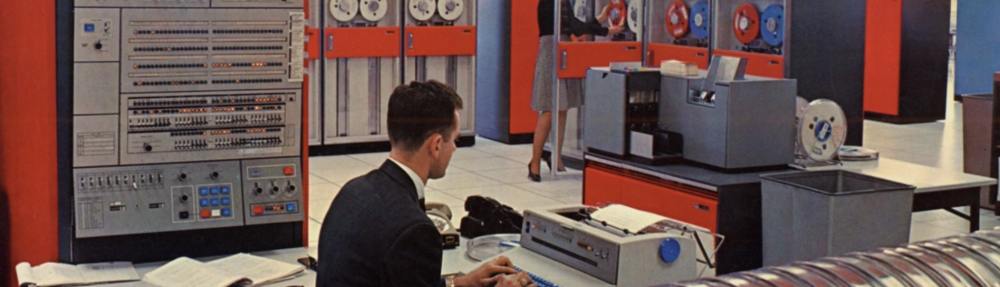
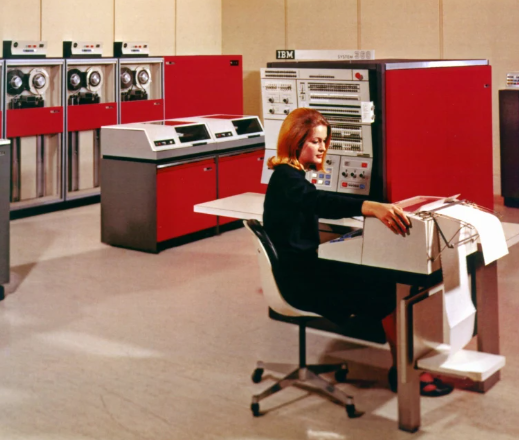
IBM 360 in Computer Room – mid 1960s
The first use of digital computing at-scale was the deployment of mainframe systems as centrally hosted resources. User access, limited to specialists, was provided via a time sharing method in which ‘dumb’ terminals displayed results of programs and enabled input (punch cards were also used for inputting program instructions). One of the most successful systems was the IBM 360 (operational from 1965 to 1978). Due to expense, the typical customer was large banks, universities and other organizations with deep pockets.
Client Server
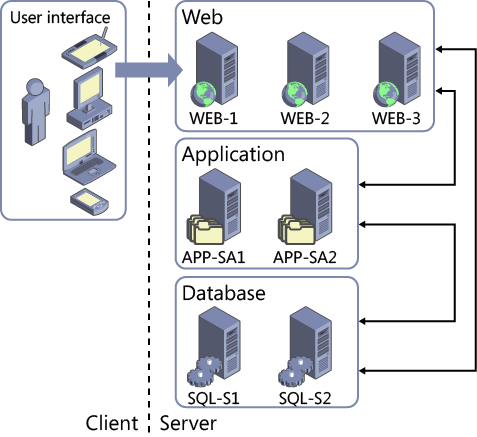
Classic Client Server Architecture (Microsoft)
The introduction of personal computers in the 1980s created the raw material for the development of networked, smaller scale systems that could supplement mainframes and provide organizations with the ability to host relatively modest computing platforms that suited their requirements. By the 1990s, this became the dominant model used by organizations at all scales (mainframes remain in service but the usage profile became narrower – for example, to run applications requiring greater processing capability than what’s possible using PC servers).
The client server model era spawned a variety of software applications to meet organizational needs such as email servers (for example, Sendmail and Microsoft Exchange), database servers (for ex. Postgres and SQL Server), web servers such as Apache and so on. Companies such as Novell, Cisco, Dell and Microsoft rose to prominence during this time.
As the client server era matured and the need for computing power grew, companies like VMWare sold platforms that enabled the creation of virtual machines (software mimics of physical servers). Organizations that could not afford to own or rent large data centers could deploy the equivalent of hundreds or thousands of servers within a smaller number of more powerful (in terms of processing capacity and memory) computing systems running VMWare’s ESX software platform. Of course, the irony of this return to something like a mainframe was not lost on information technology workers whose careers spanned the mainframe to client server era.
Cloud computing
Cloud Pattern (Amazon Web Services)
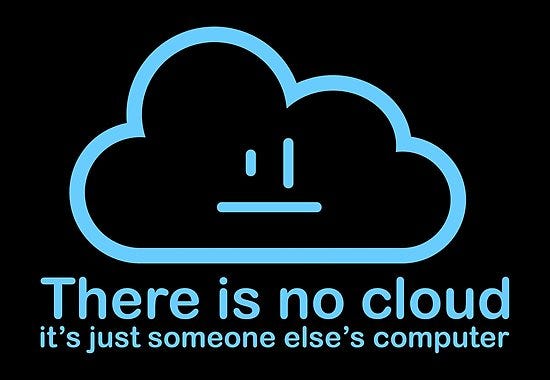
Virtualization, combined with the improved Internet access of the early 2000s, gave rise to what is now called ‘cloud.’ Among information technology workers, it was popular to say ‘there is no cloud, it’s just someone else’s computer.’ Overconfident cloud enthusiasts considered this to be the complaint of a fading old guard but it is undeniably true.
The Cloud Model
There are four modes of cloud computing:
Infrastructure as a service – IaaS: (for example, building virtual machines on platforms such as Microsoft Azure, Amazon Web Services or Google Cloud Platform)
Platform as a service – PaaS: (for example, databases offered as a service utility eliminating the need to create a server as host)
Software as a Service – SaaS: (platforms like Microsoft 365 fall into this category)
Function as a Service – FaaS: (focused on deployment using software development – ‘code’ – alone with no infrastructural management responsibilities)
A combination of perceived (but rarely realized) convenience, marketing hype and mostly unfulfilled promises of lower running costs have made the cloud model the dominant mode of the 2020s. In the 1990s and early 2000s, an organization requiring an email system was compelled to acquire hardware and software to configure and host their own platform (the Microsoft Exchange email system running on Dell server or VMWare hardware was a common pattern). The availability of Office 365 (later, Microsoft 365) and Google’s G-Suite provided another, attractive option that eliminated the need to manage systems while providing the email function.
A Review of Current Options for Organizations
Although tech industry marketing presents new developments as replacing old, all of the pre-cloud patterns mentioned above still exist. The question is, what makes sense for your organization from the perspectives of:
Cost
Operational complexity
Maintenance complexity
Security and exposure to vulnerabilities
Availability of skilled workers (related to the ability to effectively manage all of the above)
We needn’t include mainframes in this section since they are cost prohibitive and today, intended for specialized, high performance applications.
Client Server (on-premises)
By ‘on-premises’ we are referring to systems that are not cloud-based. Before the cloud era, the client server model was the dominant pattern for organizations of all sizes. Servers can be hosted within a data center the organization owns or within rented space in a colocation facility (a business that provides rented space for the servers of various clients).
Using a client server model requires employing staff who can install, configure and maintain systems. These skills were once common, indeed standard, and salaries were within the reach of many mid-size organizations. The cloud era has made these skills harder to come by (although there are still many skilled and enthusiastic practitioners). A key question is, how much investment does your organization want to make in the time and effort required to build and manage its own system? Additional questions for consideration come from software licensing and software and hardware maintenance cycles.
Sub-categories of client server to consider
Virtualization and Hyper-converged hardware
As mentioned above, the use of virtualization systems, offered by companies such as VMWare, was one method that arose during the heyday of client server to address the need for more concentrated computing power in a smaller data center footprint.
Hyper-converged infrastructure (HCI) systems, combining compute, storage and networking into a single hardware chassis, is a further development of this method. HCI systems and virtualization reduce the required operational overhead. More about this later.
Hybrid architectures
A hybrid architecture uses a mixture of on-premises and off-site, typically ‘cloud’ based systems. For example, an organization’s data might be stored on-site but the applications using that data are hosted by a cloud provider.
Cloud
Software as a Service
Software as a Service platforms such as Microsoft 365 are the most popular cloud services used by firms of all types and sizes, including activist groups. The reasons are easy to understand:
Email services without the need to host an email server
Collaboration tools (SharePoint and MS Teams for example) built into the standard licensing schemes
Lower (but not zero) operational responsibility
Hardware maintenance and uptime are handled by the service provider
The convenience comes at a price, both financial, as licensing costs increase and operational inasmuch as organizations tend to place all of their data and workflows within these platforms, creating deep dependencies.
Build Platforms
The use of ‘build platforms’ like Azure and AWS is more complex than the consumption model of services such as Microsoft 365. Originally, these were designed to meet the needs of organizations that have development and infrastructure teams and host complex applications. More recently, the ‘AI’ hype push has made these platforms trojan horses for pushing hyperscale algorithmic platforms (note, as an example, Microsoft’s investment in and use of OpenAI’s Large Language Model kit) The most common pattern is a replication of large-scale on-premises architectures using virtual machines on a cloud platform.
Although marketed as superior to, and simpler than on-premises options, cloud platforms require as much, and often more technical expertise. Cost overruns are common; cloud platforms make it easy to deploy new things but each item generates a cost. Even small organizations can create very large bills. Security is another factor; configuration mistakes are common and there are many examples of data breaches produced by error.
Private Cloud
The potential key advantage of the cloud model is the ability to abstract technical complexity. Ideally, programmers are able to create applications that run on hardware without the requirement to manage operating systems (a topic outside of the scope of this document). Private cloud enables the staging of the necessary hardware on-premises. A well known example is Openstack which is very technically challenging. Commercial options include Microsoft’s Azure Stack which extends the Azure technology method to hyper converged infrastructure (HCI) hosted within an organization’s data center.
Information Technology for Activists – What is To Be Done?
In the recent past, the answer was simple: purchase hardware and software and install and configure it with the help of technically adept staff, volunteers or a mix. In the 1990s and early 2000s it was typical for small to midsize organizations to have a collection of networked personal computers connected to a shared printer within an office. Through the network (known as a local area network or LAN) these computers were connected to more powerful computers called servers that provide centralized storage and the means through which each individual computer could communicate in a coordinated manner and share resources. Organizations often hosted their own websites which were made available to the Internet via connections from telecommunications providers.
Changes in the technology market since the mid 2000s, pushed to increase the market dominance and profits of a small group of firms (primarily, Amazon, Microsoft and Google) have limited options even as these changes appear to offer greater convenience. How can these constraints be navigated?
Proposed Methodology and Doctrines
Earlier in this document, I mentioned the importance of being intentional about technology usage. In this section, more detail is provided.
Let’s divide this into high level operational doctrines and build a proposed architecture from that.
First Doctrine: Data Sovereignty
Organizational data should be stored on-premises using dedicated storage systems rather than in a SaaS such as Microsoft 365 or Google Workspace
Second Doctrine: Bias Towards Hybrid
By ‘hybrid’ I am referring to system architectures that utilize a combination of on-premises and ‘cloud’ assets
Third Doctrine: Bias Towards System Diversity
This might also be called the right tool for the right job doctrine. After consideration of relevant factors (cost, technical ability, etc) an organization may decide to use Microsoft 365 (for example) to provide some services but other options should be explored in the areas of:
Document management and related real time collaboration tooling
Online Meeting Platforms
Database platforms
Email platforms
Commercial platforms offer integration methods between platforms that make it possible to create an aggregated solution from disparate tools.
These doctrines can be applied as guidelines for designing an organizational system architecture:
The above is only one option. More are possible depending on the aforementioned factors of:
Cost
Operational complexity
Maintenance complexity
Security and exposure to vulnerabilities
Availability of skilled workers (related to the ability to effectively manage all of the above)
I invite others to add to this document to improve its content and sharpen the argument.
Activist Documents and Resources Regarding Alternative Methods
Counter Cloud Action Plan – The Institute for Technology In the Public Interest
The 7 Dec 2021 Amazon Web Services (or, AWS) ‘outage’ has brought the use of cloud computing generally, and the role of Amazon in the cloud computing market specifically, to the attention of a general, non-technical audience [btw, outage is in single quotes to appease the techies who’ll shout: it’s a global platform, it didn’t go down, there was a regional issue! and so on]
Outage, in the total sense, or not, the event impacted a large number of companies, many of which are global content providers such as Disney and Netflix, services such as Ring and even Amazon’s internal processes that utilize their computational infrastructure.
Before the cloud era, each of these companies might have made large investments in maintaining their own data centers to host the computers, storage and networking equipment required to host a Disney+ or HBOMAX platform. In the second decade of the 2000s (really gaining momentum around 2016) the use of at first, Amazon Web Services and then Microsoft’s Azure and Google’s Cloud Platform offered companies the ability to reduce – or even eliminate – the need to support a large technological infrastructure to fulfill the command and control functions computation provides for capitalist enterprises.
Computation, storage and database – the three building blocks of all complex platforms – are now available as a utility, consumable in a way, not entirely different from the consumption of electricity or water (an imperfect analogy since, depending on the type of cloud service used, more or less technical effort is required to tailor the utility portfolio to an organization’s needs).
What is Cloud Computing? What is it’s Political Economy? What are the Power Dynamics?
Popular Critical Meme from Earlier in the Cloud Era
A full consideration of the technical aspects of cloud computing would make this piece go from short(ish) to a full position paper (a topic addressed in the Logic Magazine essay I mentioned at the top). So, let’s answer the ‘what’ question by referring to what’s considered the urtext within the industry: the NIST definition of cloud computing–
Cloud computing is a model for enabling ubiquitous, convenient, on-demand network access to a shared pool of configurable computing resources (e.g., networks, servers, storage, applications, and services) that can be rapidly provisioned and released with minimal management effort or service provider interaction. This cloud model is composed of five essential characteristics, three service models, and four deployment models.
The NIST document goes on to define the foundational service types and behaviors:
SaaS – Software as a Service (think Microsoft 365 or any of the other web-based, subscription services that stop working if your credit card is rejected)
PaaS – Platform as a Service (popular industry examples are databases such as Amazon’s DynamoDB, Azure SQL or Google Cloud SQL)
IaaS – Infrastructure as a Service (commonly used to create what are called virtual machines – servers – on a cloud platform instead of within a system hosted by a company in their own data center)
On-demand Self Service (which means, instead of having to get on the phone to Amazon saying, ‘hey, can you create a database for me’ you can do it yourself using the tools available on the platform
Reserve Pooling – (basically, there are always resources available for you to use – this is a big deal because running out of available resources is a common problem for companies that roll their own systems)
Rapid Elasticity – (have you ever connected to a website, maybe for a bank and have it slow to a crawl or become unresponsive? That system is probably stressed by demand beyond its ability to respond. Elasticity is designed to solve this problem and it’s one of the key advantages of cloud platforms)
Measured Service – (usage determines cost which is a new development in information technology. Finance geeks – and moi! – call this OPEX or operational expense and you better believe that beyond providing a link I’m not getting into that now)
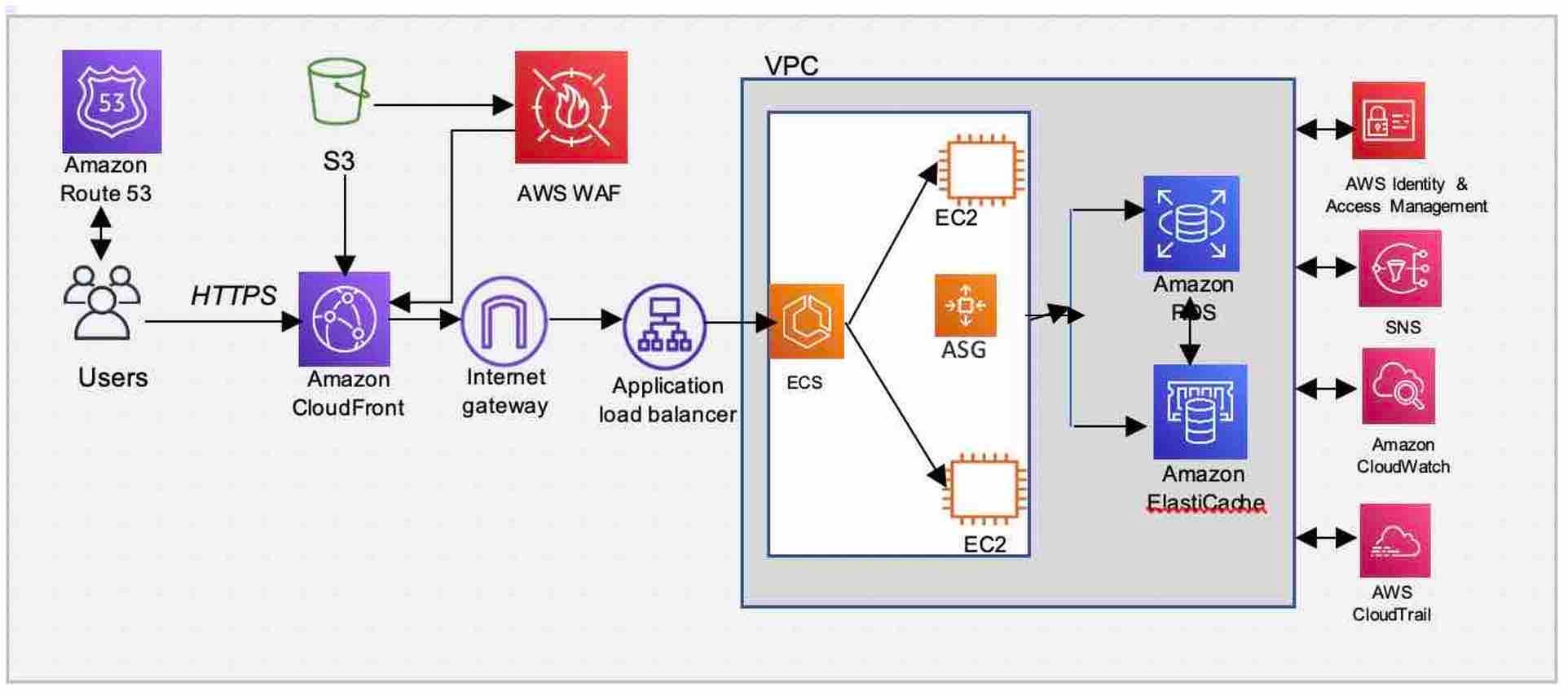
To provide a nice picture which I’m happy to describe in detail if you want (hit me up on Bluesky) here’s what a cloud architecture looks like (from the AWS reference architecture library):
AWS Content Analysis Reference Architecture
There are a lot of icons and technical terms in that visual which we don’t need to get into now (if you’re curious, here’s a link to the service catalog). The main takeaway is that with a cloud platform – in this case AWS but this is equally true of its competitors – it’s possible to assemble service elements into an architecture that performs a function (or many functions). Before the cloud era, this would have required ordering servers, installing them in data centers, keeping those systems cool and various other maintenance tasks that still occasionally give me nightmares from my glorious past.
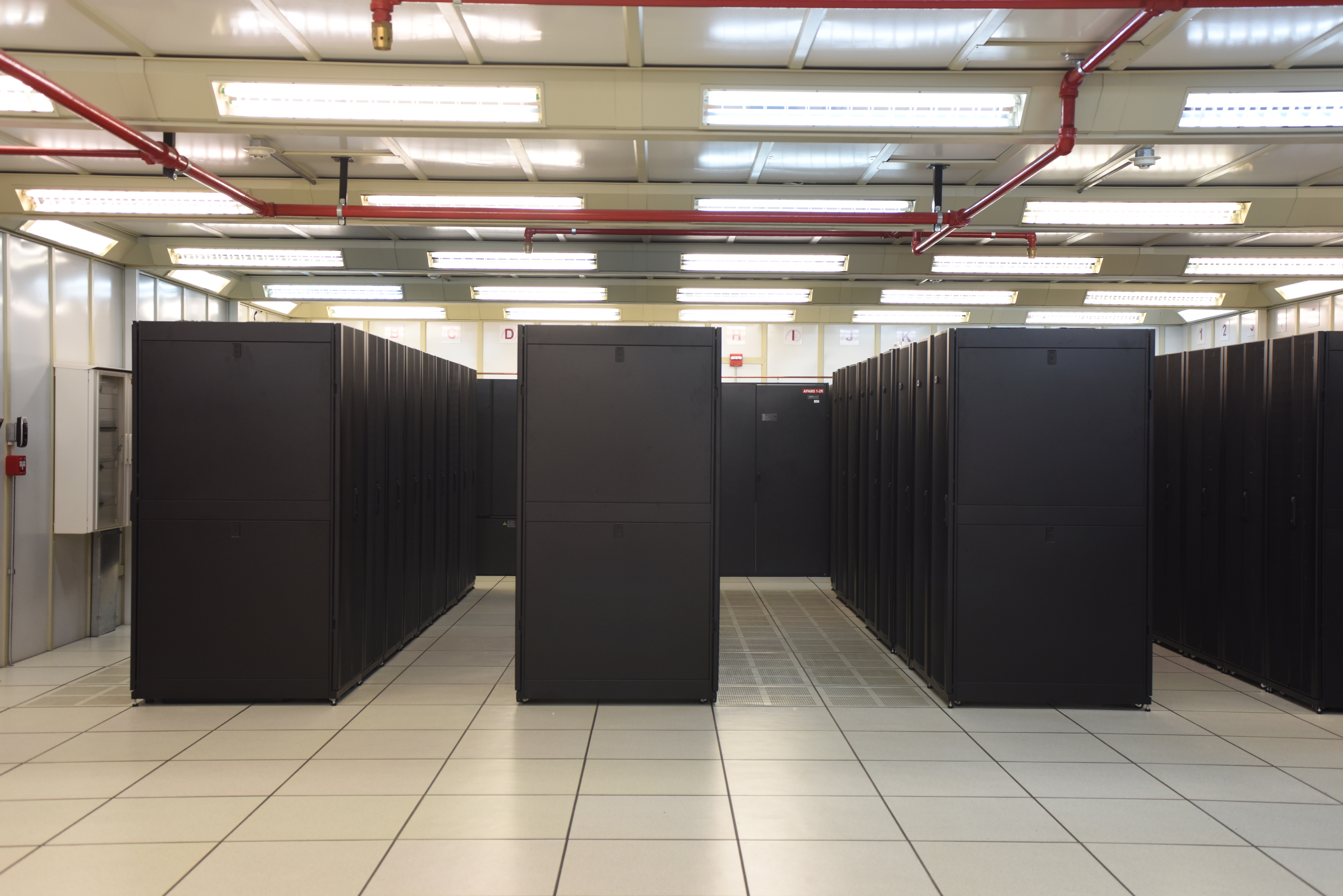
Check out this picture of a data center from Wikipedia. I know these spaces very well indeed:
Data Center (from Wikipedia)
And to be clear, just because these reference architectures exist (and can be deployed – or, installed ) that does not mean an organization is restricted to specific designs. There’s a toolbox from which you can pull what you need, designing custom solutions.
So, perhaps now you can understand why Disney, for example, when deciding to build a content delivery platform, chose to create it using a cloud platform – which enables rapid deployment and elastic response instead of creating their own infrastructure which they’d have to manage.
Of course, this comes with a price (and I’m not just talking about cash money).
Computer Power is Power and the Concentration of that Power is Hyper Power
Now we get to the meat of the argument which I’ll bullet point for clarity:
Computer power is power (indeed, it is one of the critical command and control elements of modern capitalist activity)
The concentration of computer power into fewer hands has both operational and political consequences (the operational consequences were on display during the 8 December AWS outage – yeah, I’m calling it an outage cloud partisans, deal)
The political consequences of the concentration of computer power is the creation of critical infrastructure in private hands – a super structure of technical capability that surrounds the power of other elements of capitalist relationships.
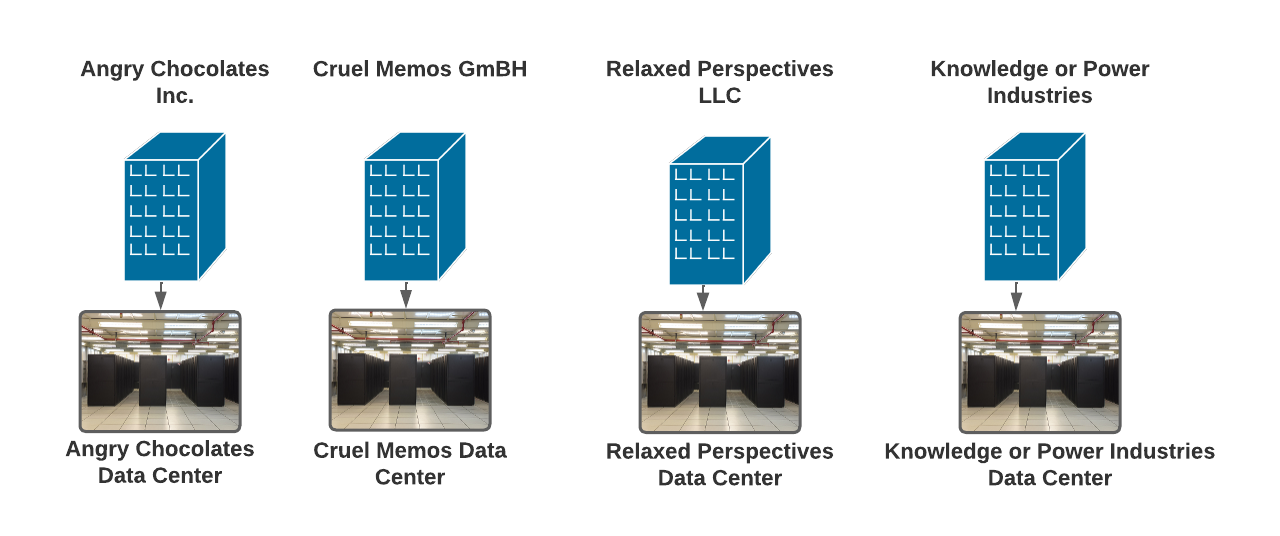
To illustrate what I mean, consider this simple diagram which shows how computer capacity has traditionally been distributed:
Note how every company, with its own data center, is a self-contained world of computing power. The cloud era introduces this situation:
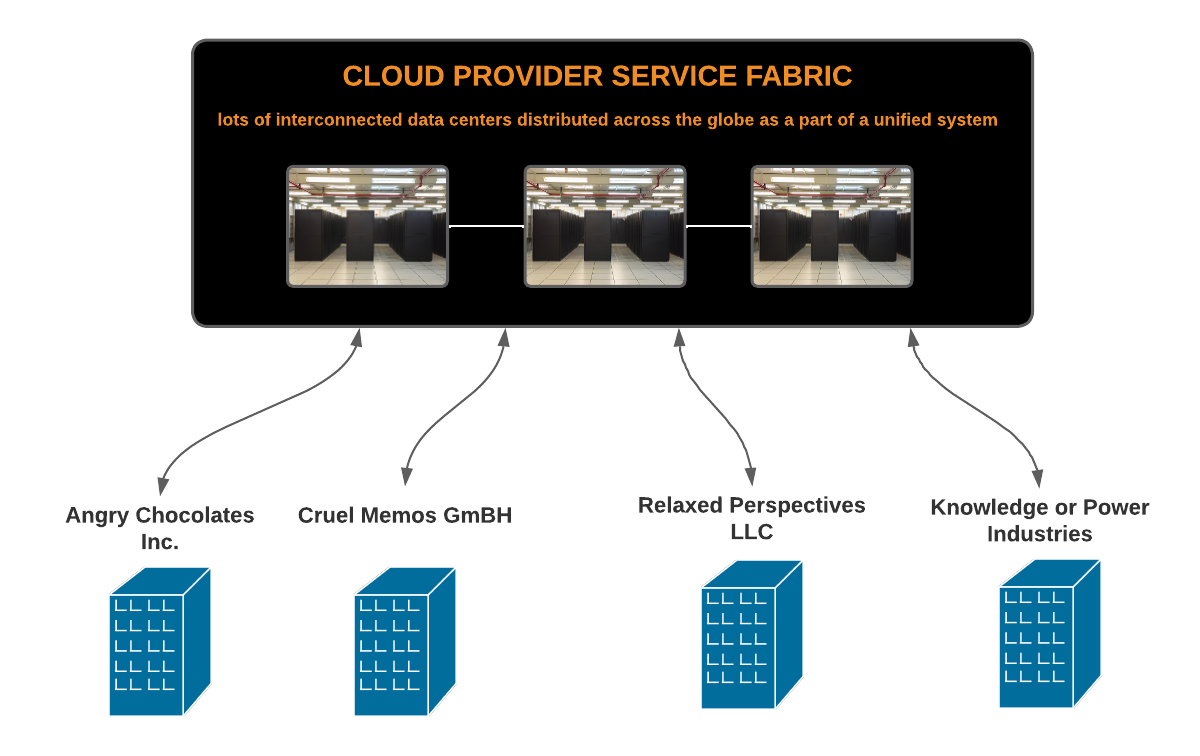
Note the common dependency on a service provider. The cloud savvy in the audience will now shout, in near unison: ‘but if organizations follow good architectural principles and distribute their workloads across regions within the same cloud provider for resiliency and fault tolerance (yes, we talk this way) there wouldn’t be an outage!’
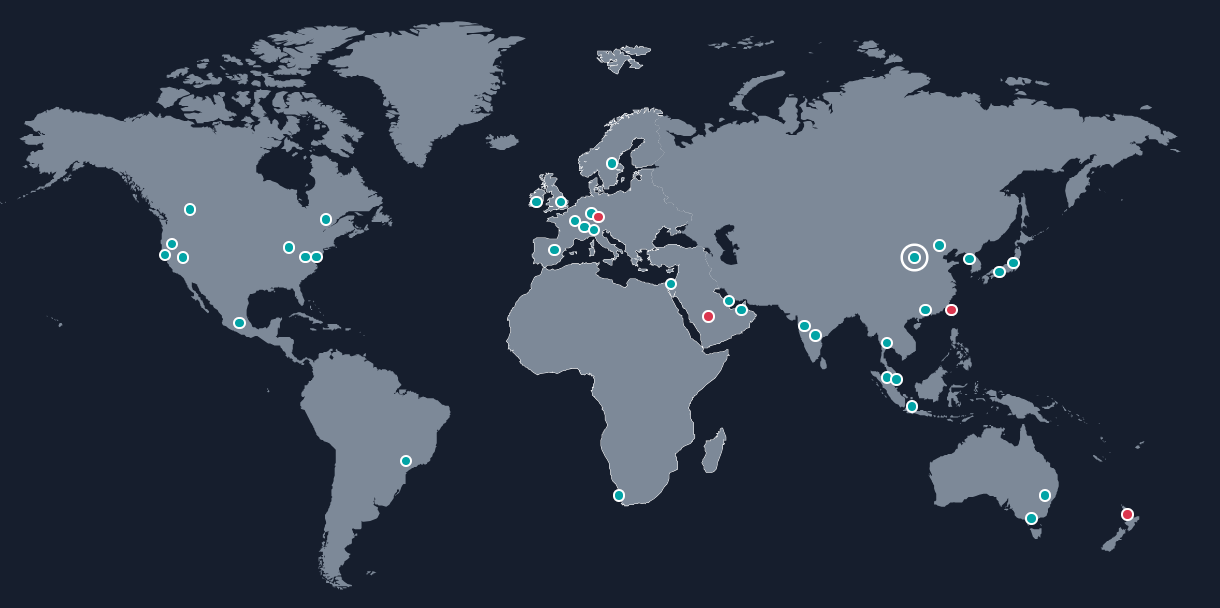
AWS Global Infrastructure Map Showing (approximate) Data Center Locations
From a purely technical perspective, the possibility of minimizing (or perhaps even avoiding) service disruption by designing an application – for example, a streaming service – to come from a variety of infrastructural locations, while true, entirely misses the point…
Which is that the cloud era represents the shift of a key element of power from a broadly distributed collection of organizations to, increasingly, a few North American cloud providers.
This has broader implications which I explore in greater detail in my Logic Magazine piece.
UPDATE 11 Dec
Amazon has posted an explanation (which, in the industry is known as a root cause analysis) explaining the outage. I’ll be digging into this in detail soon.


 Computational Impacts